mirror of
https://github.com/Mathewnd/Astral.git
synced 2026-10-27 12:48:22 +00:00
 Matheus
41 lines
1.5 KiB
Markdown
41 lines
1.5 KiB
Markdown
# Astral
|
|
|
|
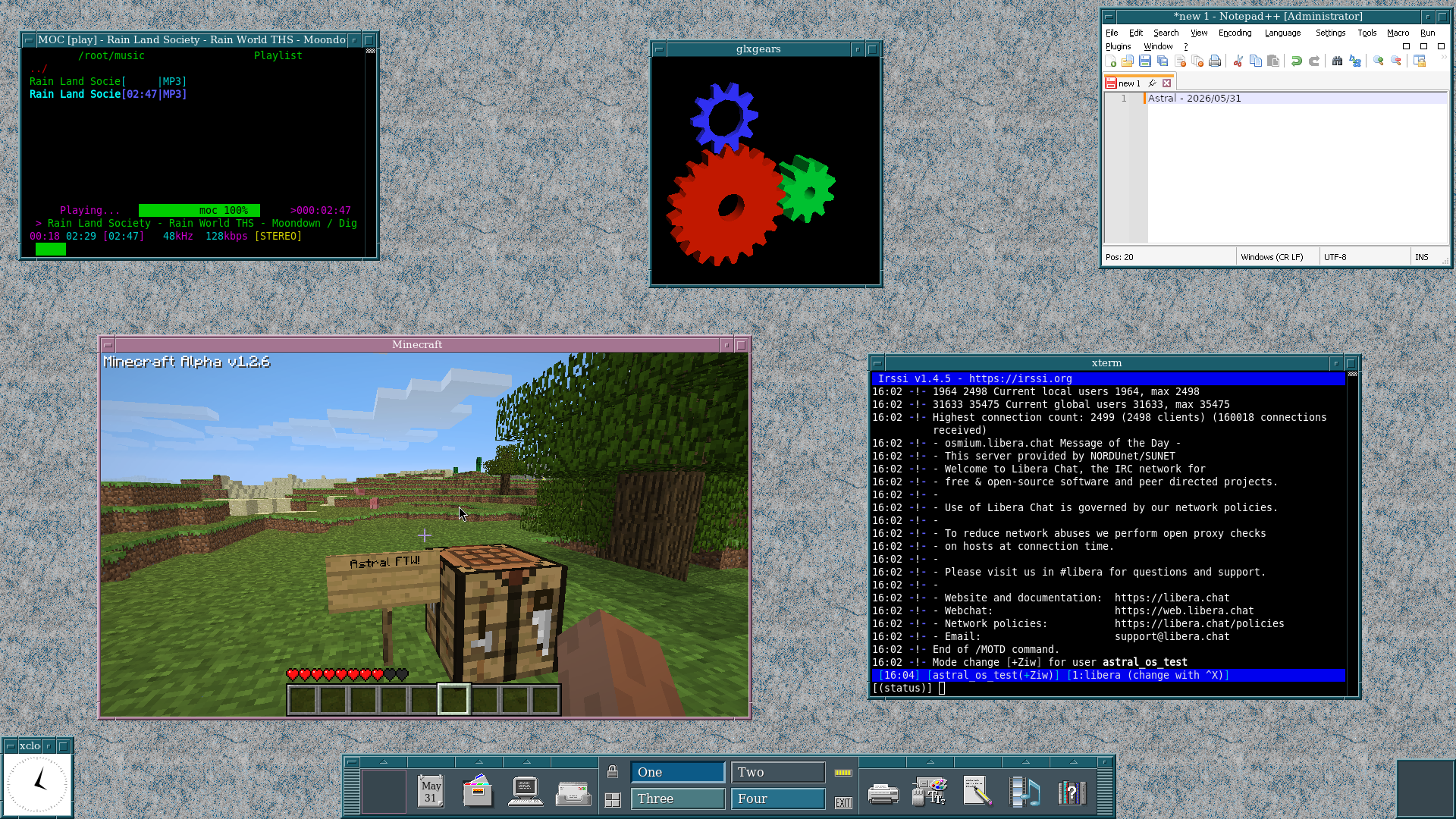
Astral is a 64 bit operating system with its own kernel written in C for the x86-64 architecture.
|
|
|
|
|
|
|
|
## Features
|
|
|
|
- SMP capable preemptible kernel
|
|
- Networking (TCP, UDP, DHCP)
|
|
- POSIX compatibility
|
|
- Ports: X.org, wine, fvwm3, gcc, bash, quake, vim and more
|
|
- Filesystems: tmpfs, devfs, ext2, fat{12,16,32}
|
|
- Block devices: NVMe, virtio-block, AHCI
|
|
- Network devices: virtio-net, rtl8169
|
|
- USB: xHCI, HID, Hubs
|
|
- ACPI: thanks to [uACPI](https://github.com/UltraOS/uACPI), there is ACPI support with proper poweroff, etc.
|
|
- Multiple user support
|
|
- Package management using xbps
|
|
- Audio: Intel HD Audio driver with mixing done by sndiod.
|
|
|
|
## Current Goals
|
|
|
|
- Installation program
|
|
- Fully self hosting
|
|
|
|
## Running
|
|
If you built it from source, run ``make run-kvm`` or ``make run-disk-kvm``
|
|
|
|
There are prebuilt images and instructions at https://astral-os.org/about.html.
|
|
|
|
## Building
|
|
|
|
The build process dependencies are specified [here](https://github.com/Mintsuki/Jinx/blob/1c40ceb62e09befc5172d1caf53e3e440a19f624/README.md). If you wish to use the ``make img`` option, you will need mtools. All other needed packages will be installed/built on a container.
|
|
|
|
It is highly recommended you download pre-built packages from the official repository by running ``make download``. This greatly reduces the compilation time as it will only need to build the host tools.
|
|
|
|
To build the project, run ``make``. This will create a file named ``astral.iso``
|
|
|
|
After this, if you wish to create an ext2 disk image, run ``make disk``
|